Start by identifying whether the conveyor runs continuously or indexes to a stop, then measure what the fixture actually does at the print station. A fault-by-fault check of motion, fixtures, sensing, controls, and loading will let you separate a conveyor defect from a printer or production-line problem and choose a reliable corrective action.
Key takeaways
- Classify continuous or indexing motion before changing tension, guides, or print settings.
- Check fixture seating, belt tracking, sensors, encoder signals, and PLC timing separately.
- Match registration drift to speed, position, trigger, or mechanical causes.
- Validate repairs with repeated cycles at production speed and load.
Classify the Motion Fault Before Adjusting Anything
For fixture printing conveyor problems, classify the motion before touching belt tension, guides, or print settings. A continuous-motion conveyor carries the fixture through the print zone, so the station must trigger from position and speed. An indexing conveyor stops, settles, and provides a defined dwell for screen contact, pad transfer, or inspection.
Variable speed alone does not prove repeatable indexing.
1. Watch one complete cycle and measure the fixture at the print station with a ruler, registration sensor, or downstream encoder. If the fixture moves during contact or exposure, treat the fault as continuous motion or failed stopping—not artwork misalignment.
2. Command repeated indexes with the printer disabled. Record stop-position error, settling time, cycle time, and spacing at minimum, nominal, and maximum speed and payload. Changing stops point to inertia, brake delay, servo tuning, backlash, or an indexing fault.
3. Mark a conveyor datum, repeat the test, then rotate or exchange the same fixture. Error that remains at the conveyor position indicates indexing, sensing, tracking, or control logic; error that follows the fixture indicates geometry, wear, clamping, or overhang.
Fixture conveyor troubleshooting must also check whether an upstream loader or the printer creates the symptom. A motor encoder cannot reveal belt slip or fixture movement on the belt, so compare its signal with the actual station position before adjusting the machine.
Trace Skewing, Slipping, Jams, Vibration, and Tracking Failure
Start at the stopped fixture, not the print defect. Mark the belt, pulley, and fixture datum, then compare their movement through one cycle; this reveals belt slip, backlash, or fixture movement that a motor-mounted encoder cannot see. For fixture printing conveyor issues, inspect the mechanical path before changing PLC settings.
- Skewed fixtures: check guide-rail parallelism, carrier side play, belt centring, pulley alignment, and unequal tension across the belt. A bent carrier or tight guide can turn straight travel into yaw.
- Slipping belts: measure tension against the conveyor specification, inspect pulley teeth or lagging, and check for oil, dust, worn couplings, and loose shaft keys. Compare actual fixture position with a downstream registration sensor, not only the drive encoder.
- Jams: look for reduced print-station clearance, fixture overhang, belt deflection, bent guides, and product transfer height. Run a loaded fixture by hand with power isolated.
- Vibration: inspect idlers for rough bearings, pulley runout, loose motor mounts, gearbox noise, and motor overheating. Check vibration at the frame and print head separately.
- Tracking failure: measure pulley squareness and shaft parallelism, then inspect crowned surfaces, edge wear, and debris trapped under the belt. Do not cure persistent tracking with tension alone.
- Static-related fixture conveyor troubleshooting: check charge on dry belts, polymer fixtures, and plastic products. Ground conductive parts, test dissipative materials or ionization, and control humidity if dust, clinging, or false sensor readings occur.
Run representative fixtures through repeated cycles at minimum, nominal, and maximum speed and load. Record stop-position error, settling time, tracking, and clearance.
Separate Fixture, Printer, Sensor, Encoder, and PLC Faults
For fixture printing conveyor problems, mark a datum on the conveyor and record the actual fixture position at the print station for at least 20 cycles. Repeat with the same fixture rotated 180 degrees, then exchange it for a known-good fixture.
A motor encoder alone cannot reveal belt slip, pulley backlash, coupling compliance, or fixture movement.
Interpret the repeat test this way:
- Error that stays at the conveyor datum points to indexing, belt tracking, or conveyor structure.
- Error that follows the fixture points to worn locating pins, clamp movement, fixture geometry, or static-attracted parts.
- Correct stop position with a defect at one print station points to printer alignment, artwork registration, print-head contact, or exposure timing.
- A sensor log showing no-detect, double-detect, late-detect, or timeout identifies sensor targeting, response-window, or fixture-geometry faults.
- A downstream registration sensor disagreeing with the motor encoder proves encoder feedback is not representing fixture position.
- Correct sensor and encoder signals with incorrect sequence, dwell, or stop commands points to PLC logic.
These fixture printing conveyor issues become clearer when you test loaded, representative fixtures at minimum, nominal, and maximum speed. Record stop error, settling time, sensor repeatability, and print clearance; a nominal-load test can hide acceleration faults and overhang vibration.
If polymer fixtures or dry belts attract dust or parts, check grounding and static control before increasing belt tension.
Correct Registration Drift, Missed Triggers, and Intermittent Stops
Measure the fixture’s actual datum at the print station, not just the motor encoder count. Mark the intended print point, then record its position over at least 20 consecutive cycles at minimum, nominal, and maximum speed.
Compare stop-position error, spacing between fixtures, settling time, and print offset; a repeating error points to indexing or belt pitch, while a gradually changing offset points to slip, stretch, backlash, or thermal growth.
- Confirm the system mode. For indexing, verify that the fixture reaches the same stop position before the print command and remains still through the dwell window. For continuous motion, verify encoder speed and printer timing against actual fixture travel.
- Watch the registration sensor while loading good and bad fixtures. It must detect the same mechanical datum or coded target each time, not a changing product edge. Gloss, colour, transparency, and missing parts can move a photoelectric trigger.
- Compare the trigger signal with the downstream position signal. A motor encoder will not reveal belt slip, pulley backlash, or fixture movement in its nest; an encoder or registration sensor near the station will.
- Capture the PLC input, print output, drive-enable signal, and fault state during an intermittent stop. A missing input indicates sensing or wiring; a present input with no motion indicates control, drive, brake, or overload trouble.
Uneven spacing often begins with acceleration, overhang, or an unstable locating nest rather than artwork. Good fixture conveyor troubleshooting records the fault against fixture identity and load condition. This also exposes printing conveyor selection problems before a replacement repeats them.
Specify and Validate the Replacement or Repair
Specify the replacement by load geometry and motion, not fixture mass alone. Record fixture length, centre of gravity, overhang, moment load, acceleration force, and carrier count and spacing; an acceptable payload figure can still hide belt deflection, guide interference, or unstable stopping.
| Design check | Specify | Reject if |
|---|---|---|
| Load and indexing | Fixture dimensions, carrier spacing, dwell time, stop-position repeatability, and settling time | The supplier gives only belt speed or maximum mass |
| Cleanability | Removable guards, clear access to datum nests and guides, and protection for bearings, belt teeth, sensors, and locating features | Ink mist, cured flakes, or cleaning residue can remain in the print path |
| Static control | Grounding, dissipative materials, ionization, and controlled humidity where polymer fixtures or plastic parts are used | Charge attracts dust, moves lightweight parts, or causes sensor faults |
For recurring fixture printing conveyor problems, run representative fixtures through repeated index cycles at minimum, nominal, and maximum conditions. Record stop-position error, settling time, cycle time, belt tracking, sensor repeatability, and print-station clearance. Test overhangs and the heaviest fixture, not an unloaded belt.
Treat variable speed and repeatable indexing as separate specifications. Brake delay, inertia, servo tuning, and backlash can change the stopping point even when average speed is correct. Give Sunrise Conveyors the actual fixture drawings and acceptance limits so the repair or replacement is checked against the production load, not a generic catalogue rating.
This process catches printing conveyor selection problems before they become another production fault.
Related product
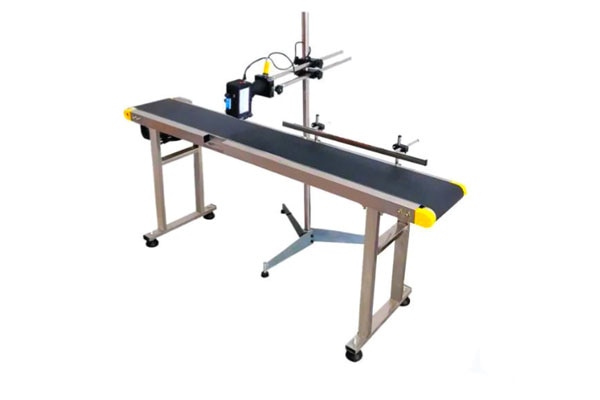 | Material Handling Equipment A print conveyor is a specialized conveyor system used in printing and packaging industries to transport printed materials smoothly between different... View product → |
Frequently asked questions
How do you classify a fixture printing conveyor fault?
Determine whether the conveyor runs continuously or indexes, then check whether motion, settling, or dwell timing matches the printing process.
How do you trace fixture conveyor troubleshooting issues?
Inspect fixture seating, belt tracking, guides, slippage, jams, vibration, sensors, encoder feedback, and PLC logic in that order.
What causes registration drift or missed print triggers?
Common causes include fixture movement, encoder errors, sensor misalignment, incorrect trigger offsets, belt slip, and PLC timing faults.
How do you validate a fixture printing conveyor repair?
Run repeated production-speed cycles with representative fixtures and confirm position, trigger timing, print registration, stops, and restart behavior.
Keywords